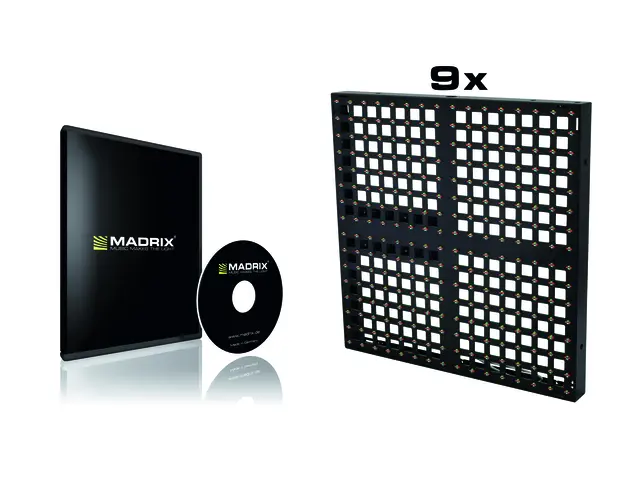
EUROLITE LED Pixel Mesh 64x64
Modular LED video panel for indoor use
- Bright and colorful projection of videos, animations and graphics
- Ideal for stage/fair construction and fixed installation
- Modular display concept allows the build-up of large areas
- 40 mm pixel pitch (seamless image at about 40 m)
- 16 x 16 pixels
- Transparent design
- Fast and easy setup
- Ethernet-based signal distribution, IEC inputs and outputs
- Controllable via optional network components and PC software
- For operation per 128 panels (256 x 128 pixels), the optional network interface (80503120) and the network control system consisting of sending card and software LED studio (80503130) is required
- Compatible to media software such as MADRIX
- Matching flightcase available
- Delivery includes 1 x IEC cable, 1 x 50 cm RJ45 cable (80503165), 4 x U-connector (80503150), 4 x gasket (80503152), 4 x bolt (80503154), 1 x eye-bolt
- The device is cooled by passive convection cooling
- For further information about this product, please refer to the Data Sheet under "Downloads"
MADRIX KEY dvi
MADRIX dvi - software for DVI/T9output
- MADRIX is a powerful, easy-to-use, and award-winning LED lighting control software
- Allows you to realize all kinds of different LED projects and lighting designs
- A normal PC/laptop can be used for professional LED control
- Includes 1 license for the software MADRIX
- Activates output for up to 307,200 DVI pixels (for example, 640 x 480)
- The license is activated via a USB dongle and can be used flexibly on different computers as needed
- Can be used in parallel with other MADRIX licenses
- Can be upgraded to higher licenses (up to MADRIX KEY ultimate)
- Supports many industry protocols and communication standards for direct connection to your LEDs and LED controllers (incl. DVI, Eurolite T9, ColourSmart Link, Colorlight 5A, Colorlight A8, Colorlight T9, etc.)
- Allows mapping in 2D (pixel mapping) as well as real, spatial 3D (voxel mapping)
- The software generates unique effects, visuals, and animations live and in real time
- No additional content is required
- Already includes a multitude of stock effects that are fully customizable (in speed, color, shape, direction, size, movement, position, brightness, etc.)
- Analyzes incoming audio signals Sound2Light and Music2Light in real time
- New lighting scenes can easily be created in seconds
- Supports media server features also: Conveniently load and play back images, pictures, and videos as well as live signal capturing, screen capturing, scrolling text (ticker), and more
- Variety of options to combine visuals and graphical elements (layers, mix modes, filters, etc.)
- 256 x 256 Storage Places to organize and store effects
- DJ-like operation with 2 decks (Left/Right) and a crossfader
- 3 real-time previews to show your visual effects in advance (incl. 2D/3D, zoom, rotation)
- 2 DVI outputs
- Controls up to 4 color channels per pixel/voxel (e.g. 1-channel, 2-channel, RGB, RGBW fixtures)
- Freely configurable Cue List for automated playback of a show (incl. time, date, duration, etc.)
- Supports Time Code from Art-Net, MIDI, SMPTE, and system time
- Remote control available via DMX-IN, Art-Net Remote, MIDI-IN, HTTP (internet browser), CITP
- Accompanying Fixture Editor provided including large fixture library
- Includes various other tools and features (DMX Fader Tool, DMX Watcher, Matrix Generator, Patch Editor, Touch Screen window, backup system, scripting, mapping, scaling, etc.)
- Supports various 3rd-party interfaces and MADRIX hardware interfaces (sold separately)
- Minimum system requirements: 2.0 GHz dual-core CPU, OpenGL 2.0 graphics card (NVIDIA recommended), 2 GB RAM, 1 GB free harddisk space, 1280 x 768 screen resolution, network card, sound card, USB 2.0 (optimal system requirements higher - please pay attention to hardware limitations, such as computer performance)
- Supported operating systems: Microsoft Windows Vista | 7 | 8 | 8.1 | 10 (compatible with 32 bit and 64 bit)
- Package contents: DVD case with installation CD and USB dongle. The user guide is installed digitally.
- Installation instructions and software available in English, Spanish, French, and Simplified Chinese
- User manual available in English
- Made in Germany
- Free software demo version, user manuals, and more information available at www.madrix.com
- Suitable for controlling LED Pixel Mesh and LED Soft Displays (LSD series)
EUROLITE Scanning box
Network interface for LED Pixel Mesh
- Network interface for controlling LED Pixel Mesh panels
- For operation, the optional control system consisting of PCI sending card and software LED studio (80503130) is required
- Connections for 128 panels (256 x 128 pixels); 16 panels horizontally each with 8 panels vertically
- Ethernet input and output for serial connection of the interface
- For further information about this product, please refer to the Data Sheet under "Downloads"
EUROLITE PCI sending card and software
Network control system LED Studio for LED displays
- Network control system consisting of PCI sending card and media software LED Studio for controlling LED displays with a computer
- 2 x 2-gigabit ethernet outputs, USB port, DVI port
- LED Pixel Mesh: operation with interface (scanning box) 80503120
- Supported formats: 640 x 480 / 800 x 600 / 1024 x 768 pixels
- The device can be connected via RJ-45 (F) mounting version to the PC
- For application areas such as: Advertisement/Shop window; installation; stage
- For further information about this product, please refer to the Data Sheet under "Downloads"
EUROLITE Connection cable 6m for LED Pixel Mesh
For LED Pixel Mesh
- Patch cable between a vertical row of LED Pixel Mesh modules and the Scanning Box (80503120)
- 6 m with RJ45 plugs
- For further information about this product, please refer to the Data Sheet under "Downloads"
EUROLITE Connection cable 20m for LED Pixel Mesh
LED Pixel Mesh - cable
- Connection cable between network interface (80503120) and PCI sending card (80503130)
- 20 m with RJ45 plugs
- For further information about this product, please refer to the Data Sheet under "Downloads"